Showing posts with label cloud file storage. Show all posts

Wednesday, April 25, 2012

CX - file sync, share and backup service with 10GB free account


CX is a  file sync, share and backup service, similar to Dropbox or Sugarsync that I have reviewed before, but I've been using it more lately and really like how it works.

CX allows you to backup your files, sync them across multiple devices, share your files and collaborate on them with others, and even discover new ideas and friends.

A free account starts off at 10GB of storage, which is more that the other services offer. Like the other services, you can earn more storage for referring others to sign up (to a maximum of 16GB). There are also paid plans with more storage (50GB, 100GB and custom amounts).

It is currently available for Windows, Mac, iOS and Android so you can access your files and work on them from any device.


What is unique is that every file you share has a comment system so you can share it and collaborate with others on it.

It was simple to set up and the CX directory on your computer can be moved to any folder and automatically syncs your files across devices.

It's a great, free, easy service to use, and the 10MB for a free account is great.

Check out CX and sync, share, collaborate and backup your files.


Related:

File backup, share, sync services - lots to choose from


Tuesday, April 24, 2012

Google Drive is here! Really! No, I mean it. Free online storage.


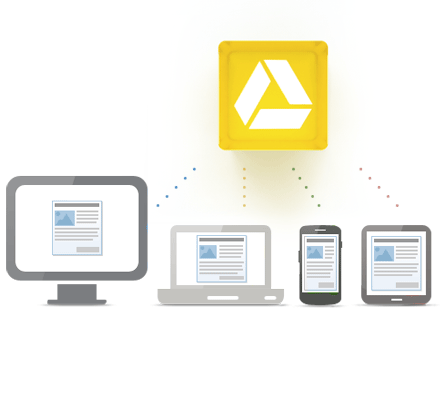
Google Drive, Google's online file storage system, is now live. With it you can upload and access all of your files including videos, photos, PDFs, Google Docs and more, just like with Dropbox or Sugarsync.

Google Docs is integrated with Google Drive so you can work on all your documents, presentations and spreadsheets, as well as share content and then add and reply to comments on any file (PDF, image, video, and so on) and receive notifications when some one else comments on a shared item. It has added some social networking features to cloud file storage. Drive will also recognize text in scanned documents. (similar to what Evernote does).

One other nice feature is that you can open all these types of files (over 30 different ones) right in your browser, even if you don't have the original program the file was created in on your computer. That's a big feature.

You can access your files on the web and install the Drive on your Mac or PC and your Android phone (iOS app coming soon). There is also a screen reader for blind readers.

You can also search your files easily by keyword, file type, owner and more. Not surprising that you can search like this since it is Google.
 Access everywhere

The free account is 5GB. You can purchase more if you need it. 25GB for $2.49/month, 100GB for $4.99/month, or, get ready for it, 1TB for $49.99/month. That's a lot of memory. When you upgrade to a paid account, your Gmail storage goes up to 25GB also.

This is another great option for backing up and having cloud access to all of your files. I like the social sharing and commenting features and how it is integrated into Google Docs.

Here's a video about Google Drive


Get Started with Google Drive: https://drive.google.com/start#home


Related:

Cloud sync, share, backup file services (lots of them, all with free accounts)

Google for Educators Resources

Android for Education Resources

Evernote for Education Resources


Monday, April 23, 2012

Dropbox adds simple sharing by link - great feature


Dropbox, one of my favorite cloud file storage/sync/share services, has an update that makes it very simple to share files and folders with others. In the past, the person you wanted to share with would need a Dropbox account for you to share files or folders. Now, you can share read-only folders with anyone using a link without needing to have a Dropbox account.


You simply right click on the file or folder and select "Get Link" on the menu. This makes that file or folder public to anyone using that link. They links don't expire so you will have to manually make the file or folder private again. They are only able to view, not edit.

This is a nice feature, especially for teachers who may want to share a file or folder with students without the students needing a Dropbox account. If you need people to edit files, you'll want to share a folder with them (they need a Dropbox account), not a link, as links are read-only.


desktop
mobile


If you don't have a file sync/share/backup service yet, you should really look into getting one. It makes it easy to access your files anywhere, including on mobile devices, and saves you when a device crashes.


Source: Dropbox Blog


Related:

Dropbox - file sync, share, backup services. Free accounts available.

World Backup Day - make sure your data and files are backed up! - lots of great, free, file sync/share/backup services.


Monday, April 16, 2012

Zumodrive shutting down, here are options


Zumodrive is shutting down. After June 1st, all accounts will be erased. Here are some options to use instead of Zumodrive for cloud file sync, storage, backup and sharing:

http://educationaltechnologyguy.blogspot.com/2012/02/zumodrive-shutting-down-here-are-some.html?m=1

Here is the announcement from Zumodrive with instructions for saving your data and MotoCast:

This is an important ZumoDrive service announcement. You are receiving this email because you have an active ZumoDrive account.

Motorola is excited to announce that we’ll be moving over to MotoCast to continue delivering innovative, cost effective solutions for accessing, sharing, and consuming your digital content. MotoCast provide seamless, instant access to all your computer's content from your smartphone, tablet or even another computer safely and securely. Stream your own music, videos, photos and files without the burden and cost of uploading to a public cloud. For more information or to download the free MotoCast application please visit http://www.mymotocast.com.

As part of this transition to MotoCast, Motorola will be shutting down ZumoDrive. After June 1, 2012, ZumoDrive users will no longer be able to use the service. Any content remaining in your ZumoDrive account beyond June 1, 2012 will be securely deleted along with all account records.

If you want to retrieve your data stored on ZumoDrive, we strongly recommend you take action as soon as possible to download it. We have made it easy for you. All you have to do is:

1. Get the ZumoDrive downloader tool from here:

- Windows downloader: https://d1tsx1og7dz7v4.cloudfront.net/ZumoDrive+Downloader.exe - Mac downloader: https://d1tsx1og7dz7v4.cloudfront.net/ZumoDrive+ Downloader.zip

1. Log in with your ZumoDrive account within the ZumoDrive downloader

2. Choose a location on your hard drive to save all of your ZumoDrive files

Make sure that you have enough space on your hard drive for everything in your ZumoDrive account.

For more information, see our support article at http://support.zumodrive.com/kb/general/how-to-use-the-zumodrive-downloader-tool and see answers to frequently-asked questions at http://support.zumodrive.com/kb/general/zumodrive-shutdown-faq.

Note: Users of HP Cloud Drive, HP Web Service Store Bundle Customers, Cruz Sync and Toshiba App Place Bundle subscribers are unaffected by this shutdown and can continue to use their ZumoDrive powered service. ZumoCast service is also unaffected by this shutdown.

We thank you for your support and use of ZumoDrive. We look forward to sharing the new MotoCast experience with you!

The ZumoDrive Team