Showing posts with label apps for education. Show all posts

Monday, May 7, 2012

Evernote buys Penultimate handwriting app - could mean good things for Education


Handwriting recognition on tablets and other devices is something that I think is vital for many educators and students. It's hard to take notes in a math or science class just using a keyboard due to the symbols and equations. Penultimate is a handwriting app for the iPad that allows users to take handwritten notes and drawings. Evernote just bought Penultimate.

iPad Screenshot 1

I think this is an excellent thing for education. Penultimate was only on the iPad. Evernote is on, well, everything. Evernote said that they will be keeping Penultimate and integrating it into Evernote. I'm hoping that this means that it will be available on all of the platforms that Evernote is available on. I also think that Evernote should make sure it handles the use of a stylus, so that the writing on smaller devices is easier to do and read.

This kind of app, integrated with Evernote, and on all platforms, will be an excellent tool for education.

Source: Evernote Blog: http://blog.evernote.com/2012/05/07/evernote-acquires-penultimate/

Related:

Evernote for Education - resources, tips, how to, lesson ideas, and much more


Tuesday, May 1, 2012

Apps to Support Bloom's Taxonomy - Android, Google, iPad and Web 2.0


I had seen two great charts Kathy Schrock had made about Apps to Support Bloom's taxonomy. I have seen, and used, the ones for Android and Google. I just found two more on her site: iPad and Web 2.0 Apps.


The charts are interactive and include links to apps organized by the category from Bloom: Creating, Evaluating, Analyzing, Applying, Understanding, and Remembering. The apps I've checked out are all free. Some apps show up in more than one category too.

The iPad and Android charts also have an activity listed under the apps, such as commenting, video creation, etc.


These are great starting points to find apps to use with your students based on Bloom's Taxonomy. Check them out. http://www.schrockguide.net/bloomin-apps.html


Related:

Bloom's Taxonomy and Technology - great resources for teachers

Android Resources for Education - apps, how-to's, reviews, forums, and more.

Android Apps related to Bloom's Taxonomy

Google for Educators Resources


Edmodo - free social learning platform expands and improves


Edmodo is a free social learning network for teachers, students and schools, providing a way to connect and collaborate, share content, access homework and grades, communicate, organize lessons, and much more.


It provides teachers a private, safe way to connect with their students and parents, organize and share lessons, share resources with students, manage projects, remind students of important dates, and even distribute quizzes. The fact that it is a private system is what makes it appealing to teachers and school systems. It's also free. There are also mobile apps, allowing access to Edmodo and it's features on your smartphone or tablet.


Edmodo recently announced that it has over 7 million users and is used in over 80,000 schools in both the US and around the world. Some of the biggest school districts in the US are deploying it across their entire district. It has managed to raise millions of dollars in investments and funding to keep it going.

One of the features that makes Edmodo popular and more "student friendly" is that it is similar to Twitter and Facebook in that it has a stream-based environment. Students and teachers can converse and communicate using a familiar stream, or conversation on a wall environment.


This past March, Edmodo also opened up it's API, the information and tools developers need to create apps that work with Edmodo, and is allowing educational app developers the ability to create apps that work with Edmodo. This will give these app developers a huge audience (Edmodo users) and a built in market to sell their apps. Edmodo will get a percentage of the sale, helping support the platform. Edmodo with have it's own app store for these apps and already has partners working to develop apps for it. It will launch this coming September. These apps will help Edmodo, and can be very useful to teachers and students in expanding learning opportunities and the functions of Edmodo.

Edmodo is a great resource for education. It allows teachers and students to communicate, collaborate, share, and learn, all in a private, secure environment.

This success is welcome news for teachers who are using it. It means that it should be around for quite a while. We only hope that with success, doesn't come any negative changes.


Edmodo home page: http://www.edmodo.com/

Source:   TechCrunch

Related:

22 Great Tips on using Edmodo in the classroom

5 Great course management resources for educators


Thursday, April 26, 2012

TinkerBox - free physics puzzle educational game on iOS


TinkerBox is a free physics puzzle game for iOS. It has interesting science facts and teachers basic engineering concepts, in a fun game. You can create machines and share them with others as well as trying to solve the physics-based puzzles and mechanical concepts. It takes creativity and problem solving skills to be successful.

It is from Autodesk, creators of the CAD software AutoCad.

This is a great app for students in physics or engineering, or anyone who likes problem solving and puzzles.

Share it with your students and colleagues.

App Store: http://itunes.apple.com/WebObjects/MZStore.woa/wa/viewSoftware?id=415722219&mt=8


Related:


edCode - open source tech tools for teachers


edCode is an site created by a software engineer and physics teacher. Along with other software developers and teachers, they are creating free, useful tools for teachers and students.

There are currently two teacher tools available. The project has promise and I'd love to see more tools coming from them.


Flubaroo Grading Tool

Project Lead: Dave Abouav
Instructional Site: flubaroo.com
Contact: flubaroo@edcode.org

Description: Flubaroo enables quick and easy grading of online assignments using Google Forms. It helps teachers to save time, and also gain valuable insight into student performance. Use it to instantly grade homework assignments, tests and quizzes, or to run in-class assessments. Flubaroo was the first edCode.org project. To see what its all about, visit flubaroo.com and watch the demo video.


GR8POLL Instant Poll Taker

Project Lead: Dave Abouav
Instructional Site: gr8poll.edcode.org
Contact: gr8poll@edcode.org

Description: GR8POLL is a free tool that allows you to take instant polls, much like “clicker” systems do today. Responses are accepted via text message (SMS), email, and/or web form. This tool is very new, and is currently in pilot testing. More coming soon!


Monday, April 23, 2012

Edshelf - directory of digital tools and apps for educators


Edshelf is a directory of digital tools and apps for educators. Edshelf is a directory of websites, mobile apps, and desktop software that are rated & reviewed by educators, for educators. You can search it for different resources and your free account lets you organize what you've found.


Resources are organized by Top Free, Top Paid, What's Popular, New and Noteworthy, Recently Added, and you can search for tools.

There are some great resources listed on the site, along with reviews and ratings from other educators, which can help you select the best tool for your needs, and for your students.

This is a great resource to use. http://edshelf.com/ 


Related:

Android for Education resources and apps

Mobile Apps and Resources for Students and Teachers

Thursday, April 12, 2012

Teaching Appz - directory of education apps for the classroom


Teaching Appz

Teaching Appz is a cool site I learned about on Twitter from my PLN last week. I've been exploring it and I've found some great apps.

The site has educational apps sorted by Subject Area, Age Range, and Device/OS and a category just for teachers. You can also search the site.

The apps are reviewed and are really good. You can also submit apps to the site.

If you are looking for apps for education, this is a good place to start. http://www.teachingappz.co.uk/


Related:

Mobile Apps and Resources for Students and Teachers
Android for Education - resources, apps, tips, and more.


Wednesday, April 11, 2012

Springpad, a great note taking/organizing app, gets upgraded


Springpad

Springpad is a great note taking and organizing app and service that I've reviewed before and really like. It is similar to Evernote in many ways, but also has some differences. Springpad is free and has web and mobile apps for iOS and Android.

Springpad allows you to create and organize tasks in a different way than Evernote, and organizes your notes differently. You can take notes, clip web sites, create task lists, and more, just like in Evernote, but you can also import data from a bar code, search by location, and add photos. You can organize things by notebooks and tags like in Evernote, but Springpad also has "The Board" which is a digital cork board to help you organize the important things.


Springpad organizes your notes, bookmarks, web clippings, and other data and information in different ways than Evernote and lets you share notebooks with others also. They also have tons of notebooks available for viewing on their site.

There is a new interface, new ways to share and follow notebooks, and more. Here's a video from Springpad on their new features.


Updates are to the web app, the iPhone and iPad apps, and the Android app
Springpad


Related:

Evernote in Education Resources

Springpad - free notes and organizer software - very cool

Notetaking Apps - a comparison of some popular ones

10 Great, Free Apps for Students for Notetaking and Class Planning


Whatchamacology - cool app to learn scientific terms


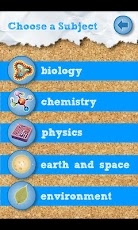
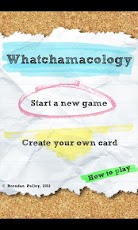
Whatchamacology is a cool app for iPhone and Android that helps students learn scientific terms through games and analogies. The terminology is from the grade 9-12 Ontario Science Curriculum. You can also submit your own terms and clues to share.

Terms are from Biology, Chemistry, Physics, Earth and Space Science and Environmental Science. Games include password, pictionary and more.

This is a fun way for students to learn scientific terms in a way that will help them remember them, and be able to figure out other scientific terms.

It's $0.99 for either version.


Monday, April 9, 2012

QuickOffice - essential app for mobile devices


One of the things that most people want or need to do with their mobile devices is to be able to create, view and edit office documents (word processing, presentations, spreadsheets). Google Docs works great on Android, and ok on iOS, but sometimes you need to view/create/edit office documents offline or using the actual file.

QuickOffice is an excellent choice for this task. It is available for Android, iOS, Symbian and webOS, with HD versions for Tablets. The free Quickoffice Lite allows you to view documents, but most people will want the full Pro version ($14.99 for smartphone, $19.99 for tablet). There are deals and specials at different times, and the Amazon App Store for Android has offered it as a free download in the past.

QuickOffice Pro allows you to create, edit, access, and share your Microsoft® Office documents, spreadsheets, and presentations - anytime, anywhere. It also allows viewing of PDF files. TheConnected File Manager offers integrated access to Google Docs™, Dropbox, Evernote, Catch, Egnyte, Huddle™, Box, SugarSync, and MobileMe™, so you can access, share and manage files on your device and the cloud.

It turns your mobile device into a full fledged business device. I can work on files anywhere and then have them saved and uploaded to my Dropbox account, ready for me to use on my computer later. With it, I can create, view or edit any file that I need to. It's easy to use and works great. I haven't had any compatibility issues or conversion issues in over 6 months of using it.


I feel that it is a must have app for all mobile devices.

QuickOffice: http://www.quickoffice.com/


Related:

Android for Education resources and apps
Essential Apps and Installs for Windows, Chrome, Android

Alternative: Documents to Go: http://www.dataviz.com/products/documentstogo/index.html


Disclaimer: I did not receive any compensation for this article. 


5 Great Smartphone Apps for the High School Science Classroom - Guest Post


5 Great Smartphone Apps for the High School Science Classroom
Technology is a crucial part of the modern classroom. Especially in science, teachers who embrace the use of new technologies provide their students with learning tools that are both fun and useful. Apps for smartphones are just the latest way to integrate learning and technology. Below are some of the best new apps for high school science classrooms.


Frog Dissection by Emantras Inc
Available for iPad and iOS for just $3.99, Frog Dissection is a great ethical alternative to the classic biology lab. For those students who conscientiously object to opening up an actual frog on their lab tables, the Frog Dissection app gives them the chance to explore anatomy in a new way. The realistic app mimics the actual procedure of dissecting using step by step instructions and virtual dissection tools. Clear 3D imaging allows students to see each organ in vivid detail. In addition to the dissection, the app contains information about classification, organ functions, and the lifecycle of frogs, as well as a comparison to human anatomy.


Atomium: Periodic Table by Henri Hansen
Chemistry students are constantly referring to the periodic table of the elements to find atomic masses, atomic numbers, and other important facts. With a periodic table app, students can have the information at their fingertips. Atomium, available on iOs and iPad for $0.99, is a great reference app that provides more information about each element than any student could hope for. It also allows users to regroup and recolor the elements according to properties. This is a great way to help students visualize the trends and patterns that are otherwise tough to see in a static table.


Science Friday BE by ScienceFriday Inc.
Most high school students are likely unaware of NPRs Friday talk show. The app for iPhone and Android is a great way to introduce students to the show that makes science relevant and fun. Teachers can use stories from the program as teachable moments and to further explore concepts taught in the classroom. A new aspect of the SciFri app is the show’s science and the arts section. It can help to engage students who are more interested in creative subjects. And best of all, the app is free.


Skeptical Science by Shine Technolgies
High school students are full of questions. One of the most contentious and political debates today is the one over global warming. Science teachers are often bombarded with questions regarding the ins and outs of the debate. With this free app, students can explore the whole range of doubts, questions, and skeptical arguments made regarding climate change. Skeptical Science keeps up to date with all new arguments made against climate change and offers counter arguments backed by hard science.


Vernier Video Physics by Vernier Software and Technology
Vernier has long provided teachers with technology for the physics classroom. Now, for just $2.99, students can visualize and analyze motion with this Vernier app. Students film the motion of an object  with their phones and the app displays the path of the object on a graph for analysis. This is a great tool for taking basic physics concepts into the real world.

Mary Ellen Ellis is a science teacher and writer for Teacher Certification Degrees, a career site for individuals interested in researching how to become a teacher in their state and featuring interviews with current teachers and leaders in the education field.


Related:


Android for Education resources and apps


Tuesday, March 13, 2012

Splashtop Whiteboard for Android now available - control computer from tablet


HomeSplashtop Whiteboard Icon

Splashtop has just announced that Splashtop Whiteboard for Android tablets is now available in the Google Play app market.

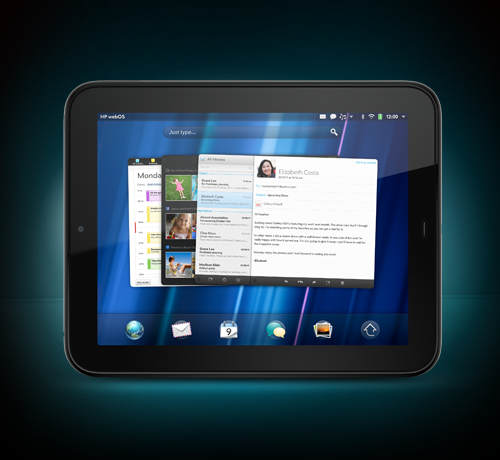
I use Splashtop Remote Desktop with my HP TouchPad tablet and my Droid Incredible 2 smartphone to connect and control my computers from my devices. It is an excellent app and very useful for me. Splashtop Whiteboard is built using Remote Desktop. I've also used Splashtop OS on my netbook.

With Splashtop Whiteboard teachers and students can connect to a computer over Wi-Fi from an Android device or iPad, to enjoy Flash media with fully synchronized video and audio, control their favorite educational applications and annotate lesson content with a full-featured toolbar. Teachers can interact with students at their desks or from all four corners of the classroom.  
Splashtop Whiteboard is built on top of Splashtop Remote Desktop, the company's award-winning app that enables users to create their own personal cloud to access files, applications, as well as view and listen to content, directly from a PC or Mac without the need to sync or copy files or applications across devices. 


Splashtop Whiteboard is now available in the Google Play market for $9.99 (on sale!)
https://play.google.com/store/apps/details?id=com.splashtop.remote.WHITEBOARD&rdid=com.splashtop.remote.WHITEBOARD&rdot=1


It is also available for the iPad. for $19.99

See press release http://www.prweb.com/releases/Splashtop/WhiteboardforAndroid/prweb9271264.htm
where you can easily download graphics and see a teacher using Splashtop Whiteboard in the classroom on an Android tablet at http://www.youtube.com/watch?v=aTKL6rkW9OY


Related:
Home
Splashtop Remote - not free, but very useful (and awesome)


Android Apps, News, Tips and more for Educators and Students


Droid Incredible 2
Android Smartphone and Apps I use as an educator


HP TouchPad Tablet Review, and update after 6 months of use


Disclosure - I did not receive any compensation for this article and I do not receive any compensation for anyone downloading the software. 


Friday, March 9, 2012

Digital Wish launched Apps Center to help teachers find best educ Android apps


Digital Wish, an organization that helps educators find and fund resources , has just launched the Digital Wish Apps Center. The Apps center was created to help teachers identify the best educational Android apps for the classroom. There are hundreds of apps listed and educators can search by grade level, subject, free vs. paid, and ratings from other educators. The apps have been screened by Digital Wish staff to make sure that they are appropriate for K-12 students.

This is a great resource to find educational apps to use in the classroom. Check it out: http://www.digitalwish.com/dw/digitalwish/apps_center

Here are some of the physics apps:


Related:

Android for Education Apps and Resources. - collection of great Android apps for education and some great Android resources 


Android Smartphone and Apps I use as an educator
http://educationaltechnologyguy.blogspot.com/2011/10/android-smartphone-and-apps-i-use-as.html

Android news, resources, app reviews and more
http://educationaltechnologyguy.blogspot.com/2011/11/android-resources-information-news.html

Why I use Google’s apps as an Educator
http://educationaltechnologyguy.blogspot.com/2012/01/why-i-use-googles-products-as-educator.html

Android 4 Schools - app reviews, tips and more for using Android in education
http://educationaltechnologyguy.blogspot.com/2011/12/android-4-schools-great-new-site-with.html

11 Awesome Apps to Try on your Android Device
http://www.android4schools.com/2011/12/25/10-apps-to-try-on-your-new-android-device/

101 Best Android Apps in Education
http://101bestandroidapps.com/category/education/