Showing posts with label Google docs in the classroom. Show all posts

Monday, April 23, 2012

Free Google Docs CheatSheet - great resource for Google Docs users


MakeUseOf, a very useful site, has a great booklet available as a free download: The Google Docs CheatSheet.


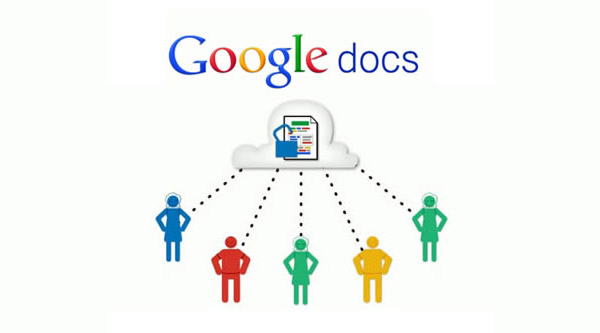
Google Docs is one of my favorite, and most used web apps. It includes a word processor, spreadsheet, presentation, drawing, and forms apps that are free, and online and have some great features, including real-time collaboration with multiple users. 

This cheat includes handy keyboard shortcuts, web browser addons aimed at Google Docs users and a number of useful third-party sites that add additional features to Google Docs

If you use Google Docs, this is a very handy resource. Go here to download it: http://www.makeuseof.com/pages/google-docs-cheat-sheet


Related:

Google Resources for Education - tips, how-to's, getting started, lesson ideas, and much more

52 Google Docs Secrets for Students

Excellent Google Docs Resource


Tuesday, April 10, 2012

Excellent Google Docs Resource


Google Docs is one of my favorite resources for myself, other teachers, and students. I use it constantly and when I share it with other teachers, friends, or my students, they are usually impressed and start using it too.

There are tons of features and functions in Google Docs that make using it extremely useful and effective as an educational tool. The fact that it's free, online, and collaborative make it great for students. Word Processing, Presentations, Forms, Drawings, and Spreadsheets. Google keeps adding more features too.


Richard Byrne has created an excellent Google Docs resource over at his blog, Free Technology for Teachers. It is a free ebook, in PDF form, that covers everything a teacher needs to know about Google Docs, from signing up, to creating, sharing, and publishing docs, to creating and using forms and even creating self-grading quizzes.

This is a resource that should be shared with all teachers who use, or want to get started using, Google Docs.


Related:

Google for Educators Resources - tips, using in education, resources, training, apps, and much more.

my other favorite resource: Evernote for Education - resources, tips, ideas and more

Presentation on Google for Educators

Why I use Google's Products as an Educator (and how)

Google Resources - Resources to highlight various ways to use Google Apps for instruction and student use
http://its.leesummit.k12.mo.us/google.htm

Google Apps for Education Training Center - http://edutraining.googleapps.com/Training-Home - great resources to learn how to use Google Apps in the classroom.

Google for Educators- Resources for using Google in School: http://goo.gl/4rEZd


Thursday, April 5, 2012

52 Google Docs Secrets for Students


Google Docs is one of my favorite resources for myself, other teachers, and students. I use it constantly and when I share it with other teachers, friends, or my students, they are usually impressed and start using it too.

There are tons of features and functions in Google Docs that make using it extremely useful and effective as an educational tool. The fact that it's free, online, and collaborative make it great for students. Word Processing, Presentations, Forms, Drawings, and Spreadsheets. Google keeps adding more features too.


The folks over at OnlineColleges have come up with a list of 52 Great Google Docs Secrets for Students. Each tip has a link to another website, sometime's Google's, that explain that tip in more detail. Tips include adding videos, formatting, converting to other formats, creating graphs and equations, and much more.

If you use Google Docs, or are planning on using them, this is a great list of resources and tips.


Related:

Google for Educators Resources - tips, using in education, resources, training, apps, and much more.

my other favorite resource: Evernote for Education - resources, tips, ideas and more

Presentation on Google for Educators

Why I use Google's Products as an Educator (and how)

Google Resources - Resources to highlight various ways to use Google Apps for instruction and student use
http://its.leesummit.k12.mo.us/google.htm

Google Apps for Education Training Center - http://edutraining.googleapps.com/Training-Home - great resources to learn how to use Google Apps in the classroom.

Google for Educators- Resources for using Google in School: http://goo.gl/4rEZd


Monday, September 12, 2011

Some Great Google Forms for use in the Classroom


I love Google and Google Docs and use them all the time. I recently found this article "70+ Google Forms for the Classroom".

The article has 10 different Google forms with ideas on how to use them and then an embedded presentation with another 60+ Google forms and how to use them in the classroom. Some examples include: Student information, guided reading, prior knowledge assessment, staff meetings and much more.

I use Google Docs Forms in my classroom to collect student information at the beginning of the year, as a survey for different parts of the course, to collect information and preferences on staff professional development needs and much more.

This is definitely a site worth checking out and seeing how Google Forms can help you out in your classroom.


Google for Educators - Resources for using Google in school


Friday, May 22, 2009

Google Docs Resources


I love Google Docs - it's free, easy to use, allows collaboration, and, did I mention, it's free?

Google is very supportive of education and runs free training sessions for educators. There is also a lot of great resources for educators online. Here are a few of them.


Google Docs Blog - Beginners Getting Started Guides. - Great getting started guides for using Google Docs. The blog has a lot of great tips and resources.

Google Docs Help - Project Ideas for Teachers - ideas and samples of how to use Google Docs in the classroom. The Docs Help page is another great resource.

20 Interesting Ways to Use Google Docs in the Classroom - a Google Docs presentation for teachers about how to use Google Docs.

In addition to these, there are many more resources for Google Docs on the internet. If you would have a student use Microsoft Office, they can use Google Docs instead. This allows them to not have to purchase software and they can access their work from any internet connected computer.